


Security
How to Spot Phishing and Fake Verification Emails
The checks that catch most phishing emails: the real sender domain, where links actually go, pressure tactics, and the verification-code scams that skip links entirely.
Phishing emails used to be easy to spot: bad spelling, strange formatting, a prince with an inheritance. Today’s phishing is often well written, uses real logos, and arrives right after you actually signed up for something. The good news is that a few checks catch the large majority of it, and none of them require technical tools.
Running an inbox that receives verification mail all day makes one thing clear: the dangerous messages are rarely the strange ones. They are the ones that look exactly like the email you were expecting.
Check 1: who really sent it
Every email has a display name and an address. The display name is free text. Anyone can set it to “PayPal” or “Microsoft Security.” Only the address tells you something.
Look at the full address, especially the part after the @:
service@paypal.comis plausibleservice@paypal-security-team.comis not PayPalservice@paypa1.com(a digit one instead of an L) is not PayPalpaypal@gmail.comis not PayPal
On a phone, tap the sender name to reveal the address. Many mail apps hide it by default.
Also check Reply-To. Some phishing comes from a hacked but legitimate account, with a Reply-To that sends your answer somewhere else entirely.
Check 2: where the link actually goes
The text of a link and its destination are two different things. A button that says “Sign in to your account” can point anywhere.
On a computer, hover over the link and read the address that appears at the bottom of the window. On a phone, press and hold the link to preview it without opening it.
Then read the domain from right to left, starting at the first single slash:
| Link | Real site |
|---|---|
https://accounts.google.com/signin |
google.com |
https://google.com.account-verify.net/signin |
account-verify.net |
https://login.microsoftonline.com.secure-id.co/ |
secure-id.co |
https://bit.ly/3xYz... |
Unknown until you expand it |
The real site is the name just before the domain ending (.com, .net, .co.uk), plus that ending. Everything to the left of it is decoration the sender chose.
The safest habit is simple: do not sign in from an email link at all. Open the site yourself by typing the address or using a bookmark, then check for the message there. Real account problems show up inside the real account.
Check 3: pressure
Phishing works by rushing you past the checks above. Watch for:
- Deadlines: “within 24 hours,” “today,” “immediately”
- Threats: account closure, legal action, a missed delivery, a failed payment
- Rewards that need fast action: refunds, prizes, unclaimed funds
- Secrecy: “do not share this with anyone,” especially in messages that look like they come from your boss
A real company can tell you something is wrong. It rarely needs you to act in the next ten minutes, and it never needs you to keep it secret.
Check 4: what it asks for
Legitimate services do not ask you to email them your password, a one-time code, your full card number, or a photo of your ID in reply to a message. If an email asks for any of those, stop.
Attachments deserve the same suspicion. Be wary of unexpected HTML files (they open a fake login page in your browser), compressed archives, disk images, and Office documents that ask you to “enable content.”
Fake verification emails and code scams
Verification emails are a favorite target because people expect them and act on them quickly. Three patterns are worth knowing.
The code you did not request. You receive a sign-in code or a “confirm this login” email you did not trigger. That usually means someone has your password and is trying to log in. Do not click anything in the email. Go to the service directly, change the password, and turn on two-factor authentication.
Someone asks you for the code. A message, call, or chat says “we sent you a code, please read it back to confirm.” This is account takeover in progress. The code is the key to your account. No legitimate support agent will ever ask you for it.
The lookalike signup confirmation. You sign up somewhere, and within minutes a convincing “confirm your email” message arrives from a slightly different domain, leading to a fake login page. Compare the sender domain with the site you just used before clicking.
What does not prove an email is safe
- A padlock or
https. Phishing sites get certificates too. HTTPS means the connection is encrypted, not that the site is honest. - A real logo. Anyone can copy an image.
- Your name in the greeting. Breached data gives attackers names, order numbers, and more.
- Passing email authentication. SPF, DKIM, and DMARC confirm a message really came from the domain it claims. A phishing email sent from
paypal-security-team.comcan pass all three for that domain. Authentication stops impersonation of exact domains, not lookalikes.
If you already clicked
Do not panic, and work in this order:
- If you entered a password, change it immediately on the real site, and anywhere you reused it.
- Turn on two-factor authentication for that account, starting with your email account if that was the target.
- If you entered payment details, call your bank using the number on your card.
- If you opened an attachment, run your security software and update your system.
- Report the email using your mail app’s “report phishing” option. It helps filters catch the next one.
Keep exposure small in the first place
Phishing needs your address to reach you. Every newsletter, shop, and one-off signup that gets your primary address is another list that can leak. Using an email alias for accounts you keep, and a short-lived inbox for one-off confirmations where the site allows it, means fewer lists ever hold your real address. More on that in how to protect your email address.
A note on this site: the 10-minute inbox sanitizes HTML before showing it, which removes scripts and other active content, but it does not judge whether a message is honest. The checks above apply to every inbox, including this one.
Related reading

More from the blog
Abuse Prevention and Privacy Design for a Temporary Inbox
How 10 Minute Temp Email limits abuse without claiming magic: receive-only mail, session cookies, hashed identifiers, optional Turnstile, cleanup, and responsible-use rules.
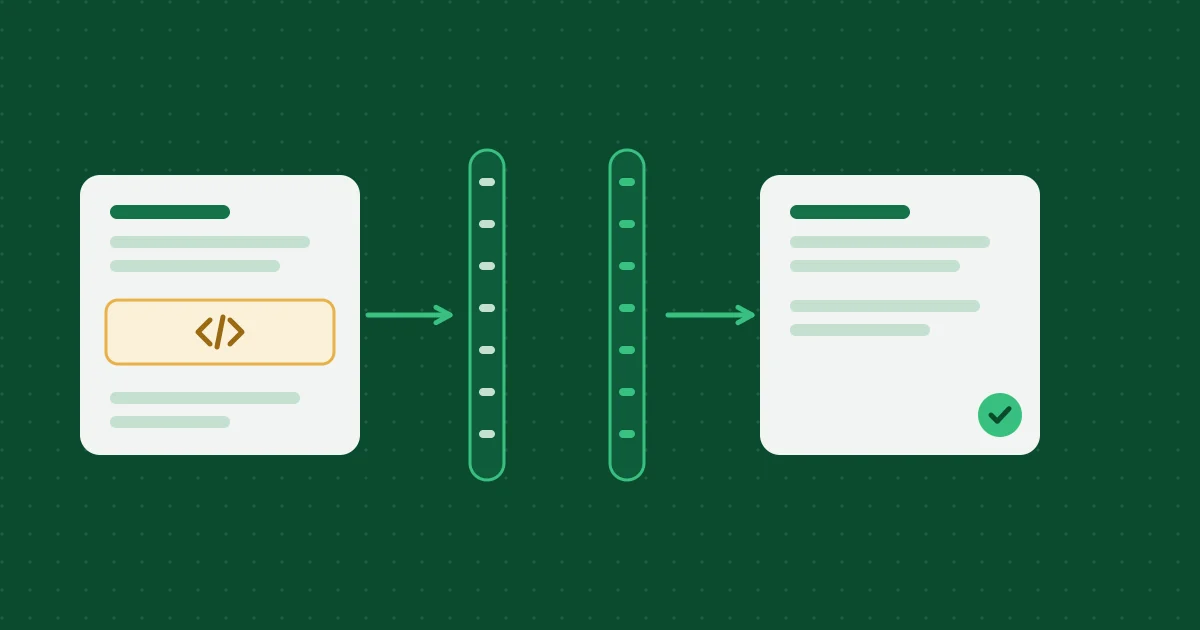
How Temporary Email Messages Are Sanitized and Deleted
How inbound HTML is cleaned on the Worker and again in the browser, which attachments are stored, and how expiration deletes D1 rows and R2 objects.
Email Aliases Compared: Plus Addressing, Hide My Email, Firefox Relay, and More
How the main kinds of email alias work, what each one hides and does not hide, and how to pick between plus addressing, a forwarding alias service, a custom domain, and a 10-minute inbox.
Help, policies and how we work
- Frequently asked questionsExpiry, attachments, privacy and prohibited uses, answered briefly.
- Editorial and testing policyHow these articles are researched, tested and corrected.
- Acceptable use policyWhat the inbox may and may not be used for.
- Report abuseTell us if an address from this service is being misused.