


Guides
Why Websites Block Disposable Email Addresses (From the Site Owner’s Side)
The real reasons sites reject temporary email domains, how the blocking works, what it costs legitimate users, and how site owners can block abuse without punishing privacy.
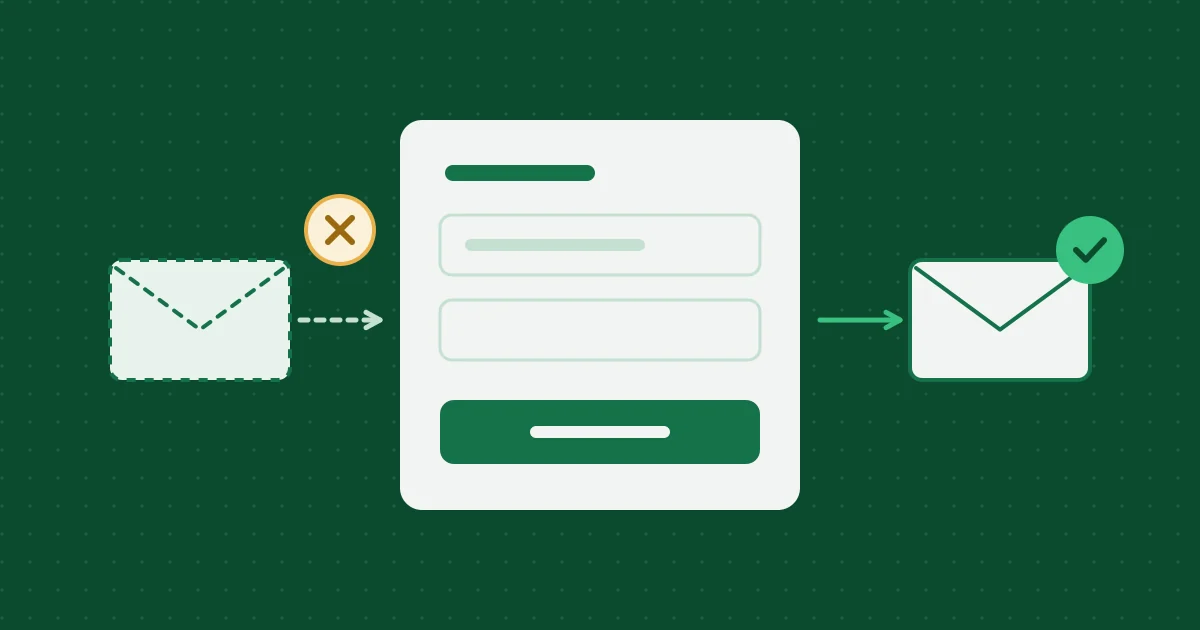
If you have ever pasted a temporary address into a sign-up form and seen “please use a valid email address,” the site was not being petty. It was making a trade-off. This article explains that trade-off from the site owner’s side, written by someone who runs a disposable inbox and still thinks many of those blocks are reasonable.
It is also useful if you run a site. The second half covers how to block abuse without turning away people who simply care about privacy.
Why sites block disposable addresses
Free trial and promotion abuse
The most common reason. A free trial, a first-order discount, or a sign-up bonus is meant for one person once. If a fresh address costs nothing, one person can claim it a hundred times. For small companies, that can be the difference between a promotion that works and one that loses money.
Fake accounts at scale
Spam bots, review manipulation, vote stuffing, and fake referral sign-ups all need many accounts. Each account needs an email address that can receive one confirmation. Disposable inboxes are an easy source, so blocking them raises the cost of running fake accounts.
Ban evasion
When a community bans someone for harassment or fraud, the ban usually attaches to the account. If a new account is one throwaway address away, the ban means little. Moderators block disposable domains so a ban has some weight.
Bounces hurt the sender’s email reputation
This one is less obvious and very real. A temporary address stops working soon after sign-up. On this site, for example, mail sent to an expired address is rejected outright, so the sender receives a bounce.
Mailbox providers watch bounce rates. A sender whose list is full of dead addresses looks like a spammer, and its mail starts landing in spam folders for everyone, including real customers waiting for a password reset. Keeping disposable addresses off the list protects the deliverability of every email the company sends.
They need to reach you later
Receipts, security alerts, password resets, legal notices, and account recovery all depend on a working address. If the account is meant to last, a ten-minute address will break it. Some sites block disposable domains simply to stop users from locking themselves out.
How the blocking works
Most sites use one or more of these:
- Domain blocklists. Lists of known disposable email domains, often maintained as open-source projects, checked at sign-up.
- Commercial validation APIs. Paid services that classify an address as disposable, role-based (
info@), invalid, or risky. - DNS signals. Checking the domain’s mail (MX) records and how recently the domain was registered.
- Behavior. Many sign-ups from one network, or accounts that never confirm, can trigger extra checks regardless of the domain.
None of these are perfect. Lists lag behind new domains, and they sometimes include domains that are not disposable at all.
The cost: legitimate users get blocked too
Blocking has real downsides that site owners often underestimate:
- Privacy-conscious users. Some people use a temporary inbox precisely because they do not trust a site yet. Blocking them loses a cautious customer, not a fraudster.
- Alias users caught by mistake. Forwarding alias services (Apple Hide My Email, Firefox Relay, DuckDuckGo, and others) are not disposable. The address keeps working and reaches a real person. Lumping them in with ten-minute inboxes blocks people who will receive every email you send.
- Vague error messages. “Invalid email” for an address that is perfectly valid frustrates users and generates support tickets.
For site owners: block abuse, not privacy
If you are deciding whether to block disposable email, a few practical guidelines:
- Block where the harm actually is. If abuse targets your free trial, require a verified, non-disposable address at trial start, not at newsletter sign-up.
- Separate disposable from alias. Treat forwarding alias domains as normal addresses. They deliver reliably and usually belong to careful users.
- Say why. “We need an address that will keep working, so we can send receipts and security alerts” is better than “invalid email.”
- Use other signals too. Rate limits, verification of a working address, and payment checks often stop abuse better than domain lists alone.
- Clean your list over time. Remove addresses that hard bounce. That protects deliverability whatever caused the bounce.
If you test your own sign-up flow with a temporary inbox, your blocklist may stop you. That is a sign the block works. Allow your test domain in staging, as described in testing signup and email verification flows.
For users: what to do when you are blocked
Respect the block. A site that rejects disposable domains has decided it needs a lasting address, and getting around that rule is exactly the kind of use this site does not support. Your realistic options are:
- Use an alias if you want privacy and the account is worth keeping. See email aliases compared.
- Use your real address if the account involves money, identity, or anything you may need to recover.
- Skip the sign-up if neither is worth it to you.
The decision guide is in when to use temporary email, an alias, or your real address.
How this site handles it
This inbox does not rotate domains to dodge blocklists, and we do not publish ways around them. If a site rejects the mail domain, that is the site’s call. The Acceptable Use Policy covers what the inbox is for, and abuse prevention and privacy design explains the controls on our side.
Related reading

More from the blog

Was Your Email in a Data Breach? How to Check and What to Do Next
How to find out whether your email address appeared in a data breach, what the exposure actually means, and the order of steps that protects your accounts afterward.
How to Spot Phishing and Fake Verification Emails
The checks that catch most phishing emails: the real sender domain, where links actually go, pressure tactics, and the verification-code scams that skip links entirely.
Email Aliases Compared: Plus Addressing, Hide My Email, Firefox Relay, and More
How the main kinds of email alias work, what each one hides and does not hide, and how to pick between plus addressing, a forwarding alias service, a custom domain, and a 10-minute inbox.
Help, policies and how we work
- Frequently asked questionsExpiry, attachments, privacy and prohibited uses, answered briefly.
- Editorial and testing policyHow these articles are researched, tested and corrected.
- Acceptable use policyWhat the inbox may and may not be used for.
- Report abuseTell us if an address from this service is being misused.